

7 Best AI Humanizer Tools: Free, Paid, and Academic Picks
Compare seven AI humanizer tools by free limits, pricing, tone controls, and editing needs. Learn how to choose a tool and improve its output yourself.

The best AI humanizer is the one that keeps your meaning intact, varies sentence rhythm without breaking grammar, and fits your volume and budget. For a free pass with no account, start with BizAIPro. For tone and rewrite-depth controls, look at GPTHuman. For long documents, StealthWriter handles the most words per request. For revising a draft in your own voice, Grammarly is the better fit. For one long free pass in English, try Clever AI Humanizer. No tool can guarantee a pass on Turnitin or GPTZero.
The problem is easy to recognize. An AI draft reads flat, every sentence has the same length and shape, and a detector flags it anyway. Detectors also flag text that people wrote themselves. Most "best humanizer" lists rank the tool their author sells, and the bypass scores they publish contradict each other from one test to the next.
This article gives you seven tools with the same breakdown for each: what it does, who it suits, and what it costs. First you get a way to judge any humanizer yourself, then a comparison table and a short workflow for better results. BizAIPro runs a free AI humanizer of its own, so it is listed first and labeled as such. Judge it by the same criteria as the rest.
How to judge an AI humanizer before you pick one
A good humanizer rewrites structure and rhythm while keeping your facts and meaning exactly as they were. Detector scores matter less than whether the output is something you would publish under your name.
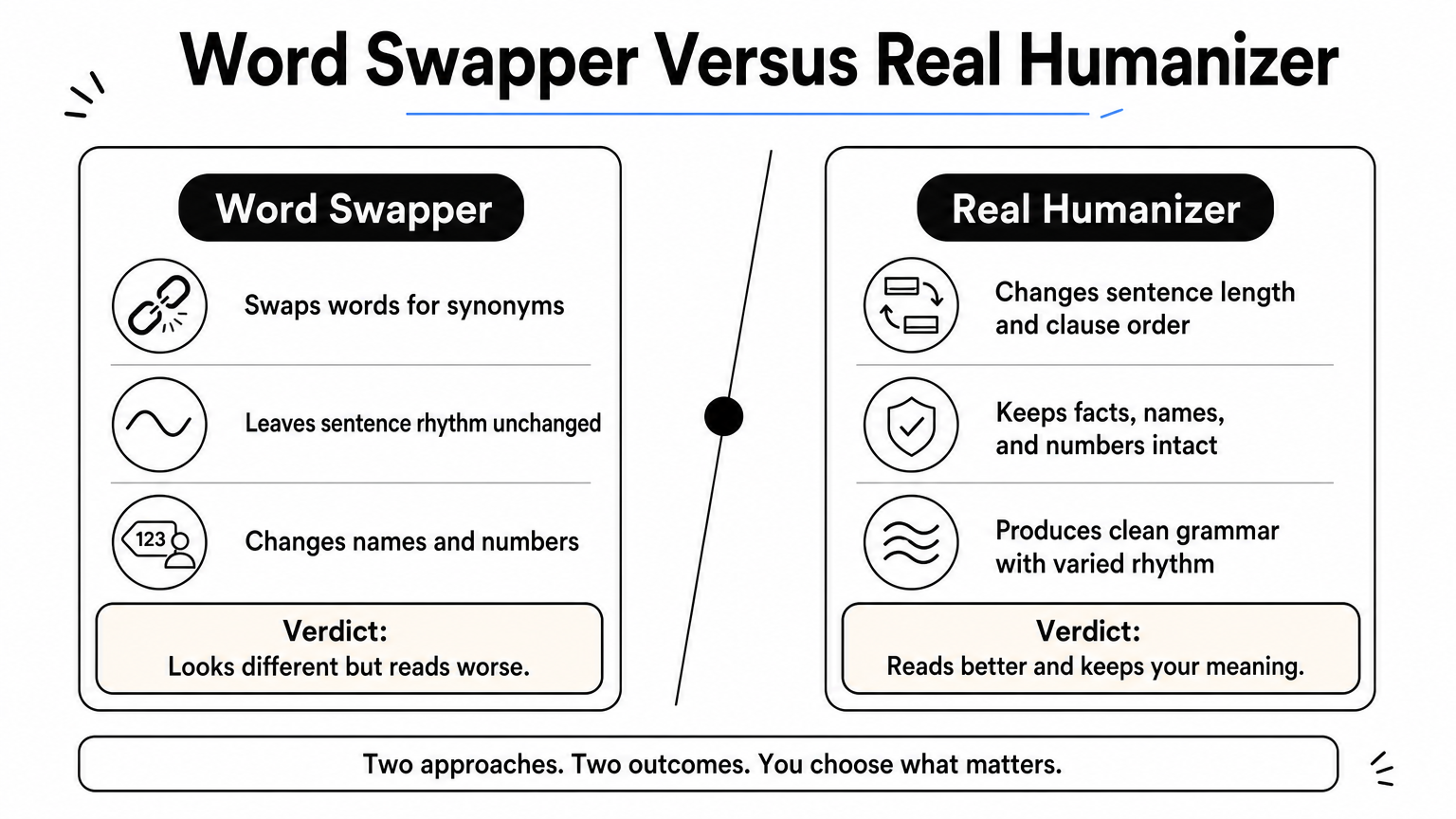
What separates a good humanizer from a word swapper
A weak tool swaps words for synonyms. A strong one changes sentence length and clause order, breaks the even cadence that AI drafts share, and leaves your names, numbers, and terms alone. Test any tool on a paragraph you know well, then read the result against the original.
Does every fact, figure, and citation survive unchanged?
Do sentence lengths now vary, with some short and some long?
Is the grammar clean, with no odd synonyms like "utilize" for every "use"?
Can you control tone, or lock keywords so they are not rewritten?
Why detector scores should not decide for you
Detectors report probabilities, not verdicts. Published tests of the same humanizers disagree widely, because results shift with the input text, the settings, and the detector version. Short passages are especially unreliable. If you use a score at all, run your own text through at least two independent detectors.
Be honest about Turnitin too. No humanizer can promise to beat it, and your school or employer may ban the practice outright. Check your institution's AI policy first.
A humanizer earns its place by improving the writing, not by promising a score.
1. BizAIPro AI Humanizer
BizAIPro's AI Humanizer is a free, in-browser tool that needs no signup. It is the right first stop when you want a quick rewrite without creating an account or paying a subscription.
What it does
It rewrites AI-generated text so it reads more naturally. It sits beside BizAIPro's AI Content Detector, which checks for ChatGPT, Claude, and Gemini text. That lets you humanize and then check in one place instead of juggling tabs.
Free to use, with no account required
Paired with a detector for the same workflow
Part of a library of 87+ free business tools
Who it suits and what it costs
It suits small business owners, marketers, and website owners who need to smooth product descriptions, emails, and blog drafts. It also suits anyone cautious about handing text to a service that wants an account. Many BizAIPro tools process input locally in your browser, so check the tool page for how this one handles your text.
The cost is zero, with no subscription. If you need tiered tone levels, bulk processing, or API access, compare those details against the paid tools below.
If you only need a clean rewrite today, a free tool with no signup is the lowest-risk place to begin.
2. GPTHuman
GPTHuman is the pick when you want visible controls and scores before you submit. It gives you more dials than most humanizers, which helps if you edit with intent.
What it does
It shows three scores side by side: a Stealth Score, a Flesch-Kincaid readability score, and a similarity score. It offers four tone modes (Standard, High School, College, PhD) and three rewrite depths (Balanced, Enhanced, Professional), plus a re-humanize button for another pass.
Supports 80+ languages and PDF or Word uploads
Includes a built-in detector and paraphraser
Offers API access and bulk processing on paid tiers
Who it suits and what it costs
It suits students and writers who want control over formality and how far the rewrite goes. The Stealth Score is the tool's own estimate, so confirm with an independent detector before you rely on it.
Free use is limited to a 300-word allowance after you create an account. Its Unlimited plan allows up to 2,000 words per output. Paid plans are listed from around $25 a month in published roundups, so check the pricing page for the current figure.
More controls help only if you use them, so set the tone and depth that match your reader.
3. StealthWriter
StealthWriter is built for long inputs and sentence-by-sentence fine-tuning. Its paid plans accept up to 5,000 words per request, the highest limit among the tools here.
What it does
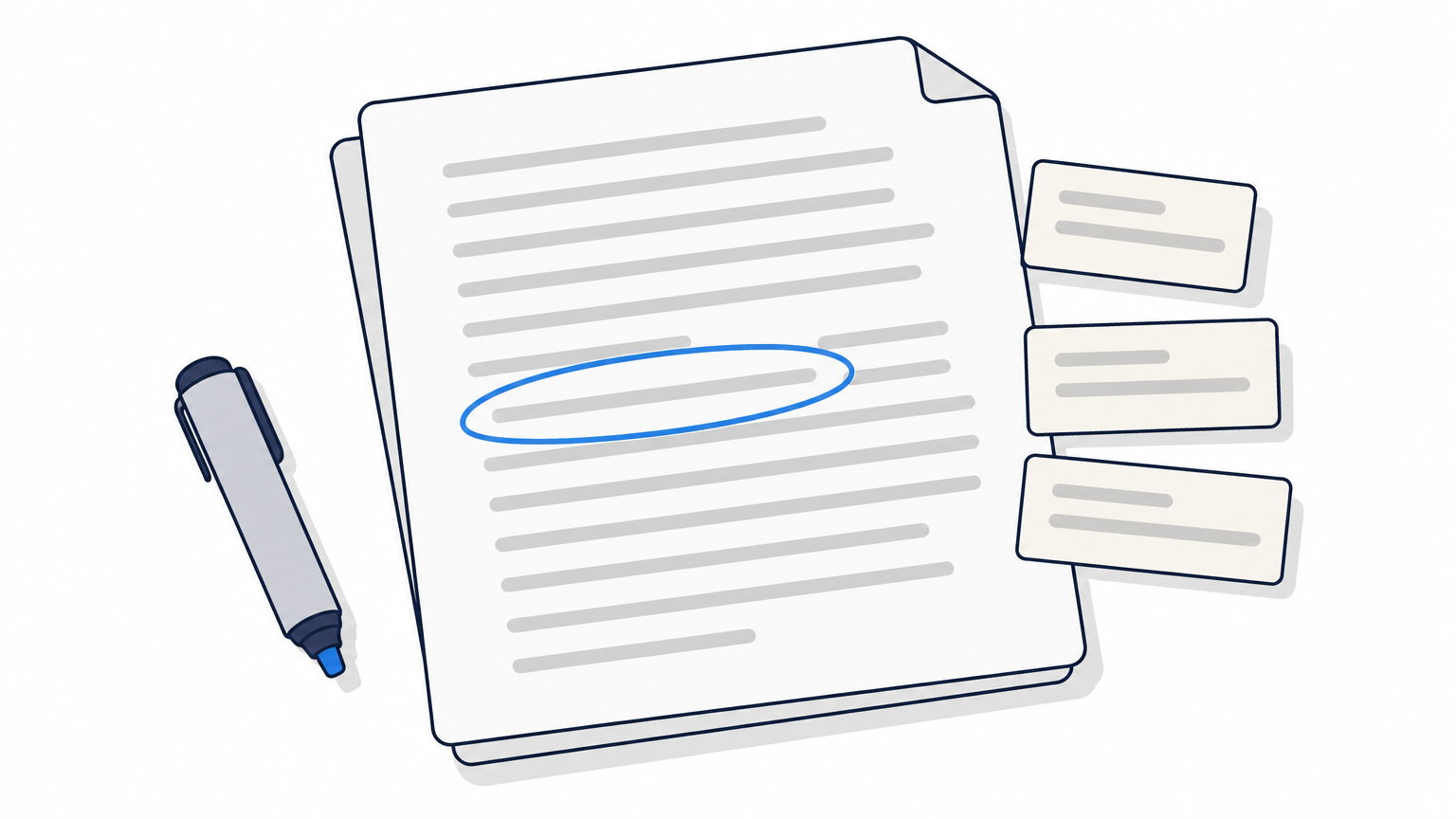
It offers two humanizer models, Ghost 5.1 and Ghost 4.6, and a built-in detector that highlights sentences still reading as AI. You can click any sentence to see alternative rewrites for just that line, so you fix problems without re-running the whole document.
Re-humanize and side-by-side comparison on paid plans
Multi-language support added to the newer model
Fully web-based, with a free account that needs no credit card
Who it suits and what it costs
It suits bloggers and anyone working with long drafts who will spend a few minutes editing flagged sentences. Results in published tests vary from run to run, so treat the first pass as a draft.
Free users get a small daily allowance. Paid plans are listed at roughly $20 a month, with annual billing saving about 17%. Expect to pay more for the highest tiers.
For long documents, sentence-level control saves more time than a perfect one-click score.
4. Undetectable AI
Undetectable AI is a fast option for short content and quick detector checks. It is among the cheapest paid tools listed here.
What it does
It lets you pick a readability level (High School, University, Doctorate, or Journalist) and choose between "More Human" and "More Readable" modes. A multi-detector panel scores the output against several detectors at once. A Chrome extension and an API are available.
Fast processing for short passages
Side-by-side draft comparison
Often strips original formatting, so plan to reapply it
Who it suits and what it costs
It suits people who humanize short posts, captions, and snippets and want a score in the same window. Reviewers note that output can come out choppy or abrupt, so read it aloud before you publish. It is a weaker fit for long academic prose.
A limited free trial exists. Paid plans are listed from about $9.99 a month. Confirm current limits on the pricing page, since trial rules change often.
Speed and a low price are fine for short text, but always smooth the rhythm by hand.
5. QuillBot
QuillBot is the conservative all-rounder. Its humanizer mode lives inside a familiar suite, so you may already have an account.
What it does
The humanizer sits alongside a paraphraser, a grammar checker, and a plagiarism checker. Fluency settings let you move between a literal rewrite and a more creative one. Extensions for Word, Chrome, and Google Docs mean you can edit where you already write.
Very readable output
Plagiarism scan built in
Cautious rewriting that keeps your wording close
Who it suits and what it costs
It suits writers who want polish more than heavy rewriting. Because it edits conservatively, it may not shift the patterns that stricter detectors look for. Use it to clean up phrasing, not as a bypass tool.
The free tier caps paraphrasing at roughly 125 words at a time. Premium is listed between about $20 and $30 a month across different roundups, so check the current page and billing term.
QuillBot improves clarity reliably, but it rarely changes a draft enough to matter to a strict detector.
6. Grammarly
Grammarly takes a different angle: it helps you revise an AI draft into your own voice rather than run it through a filter. That approach makes the most sense for work you must stand behind.
What it does
Its humanizer offers tone changes, full-sentence rewrites, and voice suggestions inside the document. It pairs with a Citation Finder, a Plagiarism Checker, and an AI Detector, so you can verify sources and show how the piece came together.
Works in Google Docs, Gmail, Word, and Slack
Fact and citation support, not just rewriting
Keeps your voice intact when you guide the edits
Who it suits and what it costs
It suits students, professionals, and editors who use AI for a first draft and then own the result. It is not a detector-evasion tool. If your only goal is a lower score, other tools here are closer to that job.
A free plan exists. Pro is listed at $12 per member per month billed annually. Check the pricing page for monthly billing and current features.
When authorship matters, editing a draft into your voice beats disguising it.
7. Clever AI Humanizer
Clever AI Humanizer is the free option for long passages. It supports up to 3,000 words per humanization with no ads or paywall, which beats the free limits of most rivals.

What it does
It improves tone, structure, clarity, and readability of AI-generated text. It also includes an AI detector, a paraphraser, and a grammar checker, and it keeps a content history so you can return to earlier versions.
Handles English, Spanish, and Portuguese
Cuts repetitive phrasing
Free, with no word cap at the lengths most people use
Who it suits and what it costs
It suits bloggers and students working in English who need a long free pass before editing by hand. Language support is narrow, so look elsewhere for other languages. Free tools also vary in how they handle your text, so never paste confidential material into any web humanizer.
The price is free. Expect a longer draft to need a careful read, because a single pass can still leave stiff transitions.
A long free pass works best as a starting point for your own edit, never the finished text.
Which AI humanizer fits your situation
Pick by job, not by ranking. A free tool covers casual rewriting, a controls-heavy tool covers academic tone, and an in-suite editor covers voice. Prices below come from published listings and change often, so check each pricing page.
Comparison at a glance
Tool | Best for | Free option | Paid price listed |
|---|---|---|---|
BizAIPro | Quick free pass, no account | Free, no signup | None |
GPTHuman | Tone and depth controls | 300 words after account creation | About $25/month |
StealthWriter | Long documents, sentence edits | Small daily allowance | About $20/month |
Undetectable AI | Fast short content | Limited trial | About $9.99/month |
QuillBot | Polishing and general editing | About 125 words per paraphrase | About $20 to $30/month |
Grammarly | Revising in your own voice | Free plan | $12/member/month, annual |
Clever AI Humanizer | Long free English passes | Free, up to 3,000 words | Free |
Matching the tool to your job
For academic writing, choose a tool with formal tone settings, such as GPTHuman, or revise with Grammarly, then follow your school's AI policy. For free use, start with BizAIPro or Clever AI Humanizer. For long-form work, StealthWriter's 5,000-word limit helps most. For short, cheap jobs, Undetectable AI is the budget pick. ZeroGPT is best known as a detector, so use it to check output rather than as your rewriting tool.
How to get the most human result
No tool delivers a guaranteed 100% result, so finish the job by hand. Edit in this order:
Run the draft once, then re-run only if the first pass still reads stiff.
Compare facts, names, and numbers against the original.
Read it aloud and fix any line you would not say.
Add your own examples, figures, and opinions.
Mix short and long sentences on purpose.
Check the result with two independent detectors.
The last 20% of the work, your specifics and your voice, is what makes text read as human.
Pick one tool and edit the output yourself
The best AI humanizer is a tool that preserves your meaning, gives you the controls you need, and costs what the job is worth. Use free tools for quick passes, paid tools for long documents or tone control, and your own editing for everything that matters. Treat every detector score as a rough signal, and follow the rules of your school or employer.
If you want a place to start without an account or a bill, try the free AI humanizer at BizAIPro and run the result through its AI Content Detector. Then edit the output with your own examples and wording.