
An AI implementation plan for small business should turn a specific operational problem into a tested, manageable way of working. Buying subscriptions is only one part of that job. You also need to decide which information a tool can use, who checks its work, what happens when it fails, and whether the improvement justifies the ongoing cost.
This guide provides an original Bizaipro planning framework for doing that over ninety days. The schedule is a planning aid, not a claim that every business can deploy AI within a quarter. A project involving sensitive information, complex integrations, or consequential decisions may need substantially longer. Move forward when the evidence supports the next step, rather than because a calendar milestone has arrived.
The examples below are illustrative business scenarios. They are not client case studies, product tests, survey findings, or guaranteed results. Their purpose is to make the decisions concrete enough that you can replace the assumptions with your own information. The templates are original editorial resources that you can adapt to your organisation.
Quick answer
Start with one repeatable workflow, one accountable owner, and one measurable business outcome. Use the first month to establish a baseline, examine the data, choose the narrow task, and define acceptance criteria. Use the second month to build and test a limited pilot with human review. Use the final month to verify the economics, document normal and exceptional operation, and decide whether to expand, revise, or stop.
The output should be a decision supported by evidence. It might be a working AI-assisted process. It might also be a finding that a simpler automation is more appropriate, that a vendor cannot meet your requirements, or that the expected benefit is too small. Those are useful outcomes when they prevent a larger and more expensive mistake.
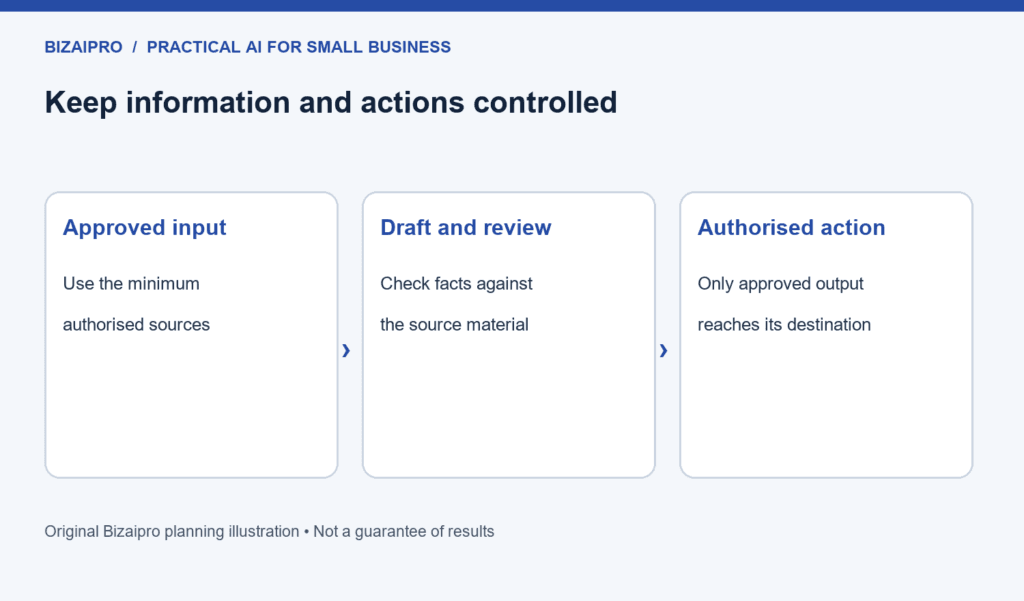
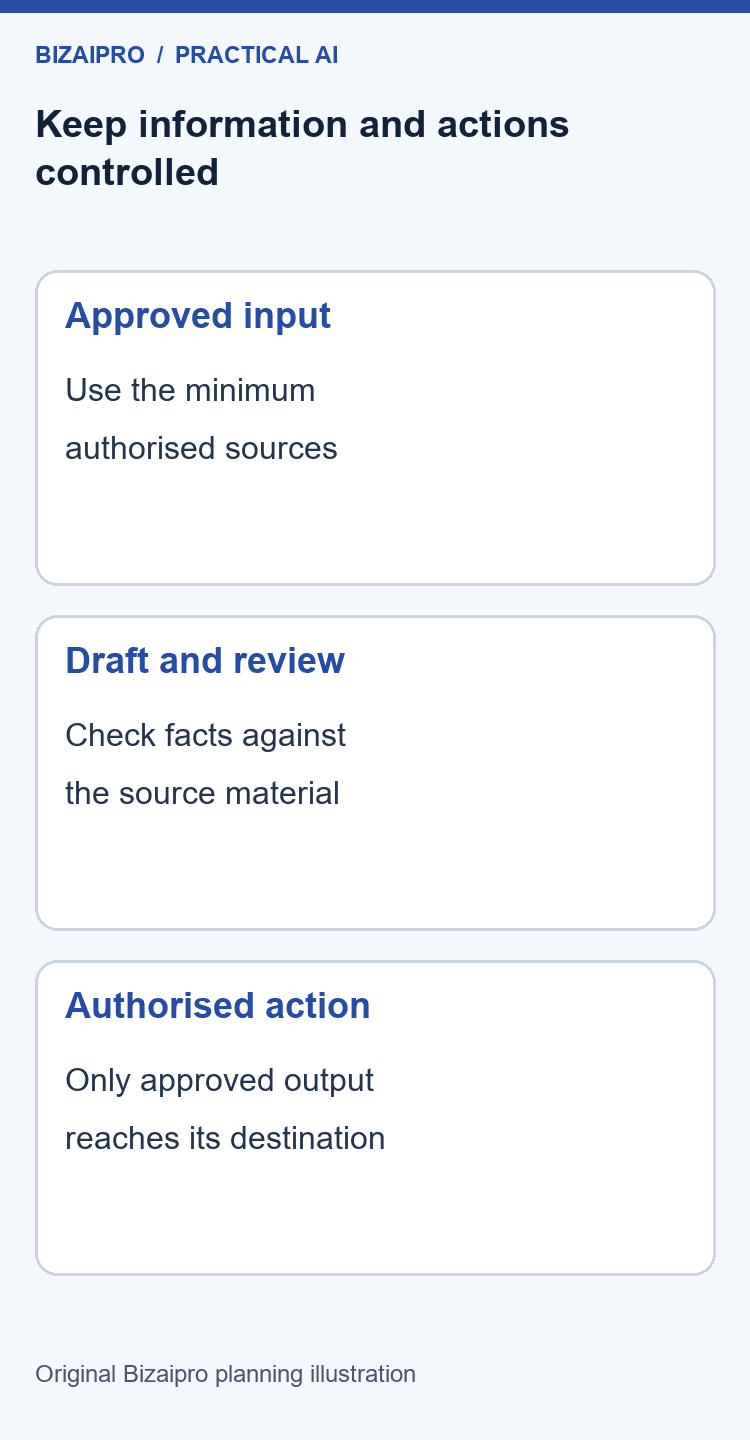
Keep customer-facing actions under explicit control during the pilot. A tool that drafts an email does not automatically need permission to send it. A tool that suggests a record update does not automatically need permission to change the source system. Separate generating a recommendation from authorising a business action.
Key takeaways
- Define the business problem before selecting software or discussing models.
- Measure the existing process, including waiting, correction, and review time.
- Choose a pilot whose output can be checked and whose failure can be contained.
- Treat data access, ownership, escalation, and rollback as implementation work.
- Compare AI assistance with improving the manual process and using ordinary automation.
- Count supervision and maintenance when estimating benefits.
- Expand through explicit decisions, not automatic calendar progression.
- Keep one maintained operating document that a colleague can actually follow.
For context, the U.S. Census Bureau’s May 2026 analysis reported AI use between 17% and 20% across U.S. businesses during December 2025 to May 2026. Firms with four or fewer employees remained below 20%. These are adoption measures, not proof of productivity or return on investment. The survey broadened its question in November 2025 to cover any business function, so comparisons with older measures require care.
Who this plan is for
This plan is designed for an owner or small team introducing AI into an existing business workflow. You do not need an internal development department to use the planning method. You do need someone who understands the work, someone who can approve the relevant data access, and enough time to compare the proposed process with how work happens today.
The strongest starting situations have frequent tasks, accessible information, a manageable number of exceptions, and an observable definition of a good result. Preparing an internal meeting brief from approved notes, drafting product descriptions from verified specifications, or suggesting labels for incoming enquiries may fit these conditions. Suitability still depends on your actual information and controls.
This guide is not an implementation shortcut for medical decisions, lending, employment screening, legal advice, or other consequential uses. It also does not replace professional review of contractual, privacy, security, or regulatory requirements. If an error could materially affect somebody’s rights, finances, safety, or access to a service, specialist assessment belongs in the plan before a production deployment is considered.
For a broader introduction to the subject, explore Bizaipro’s AI for small business resources. This article focuses specifically on organising and evaluating an implementation project, rather than compiling another catalogue of tools.
The ninety-day plan at a glance
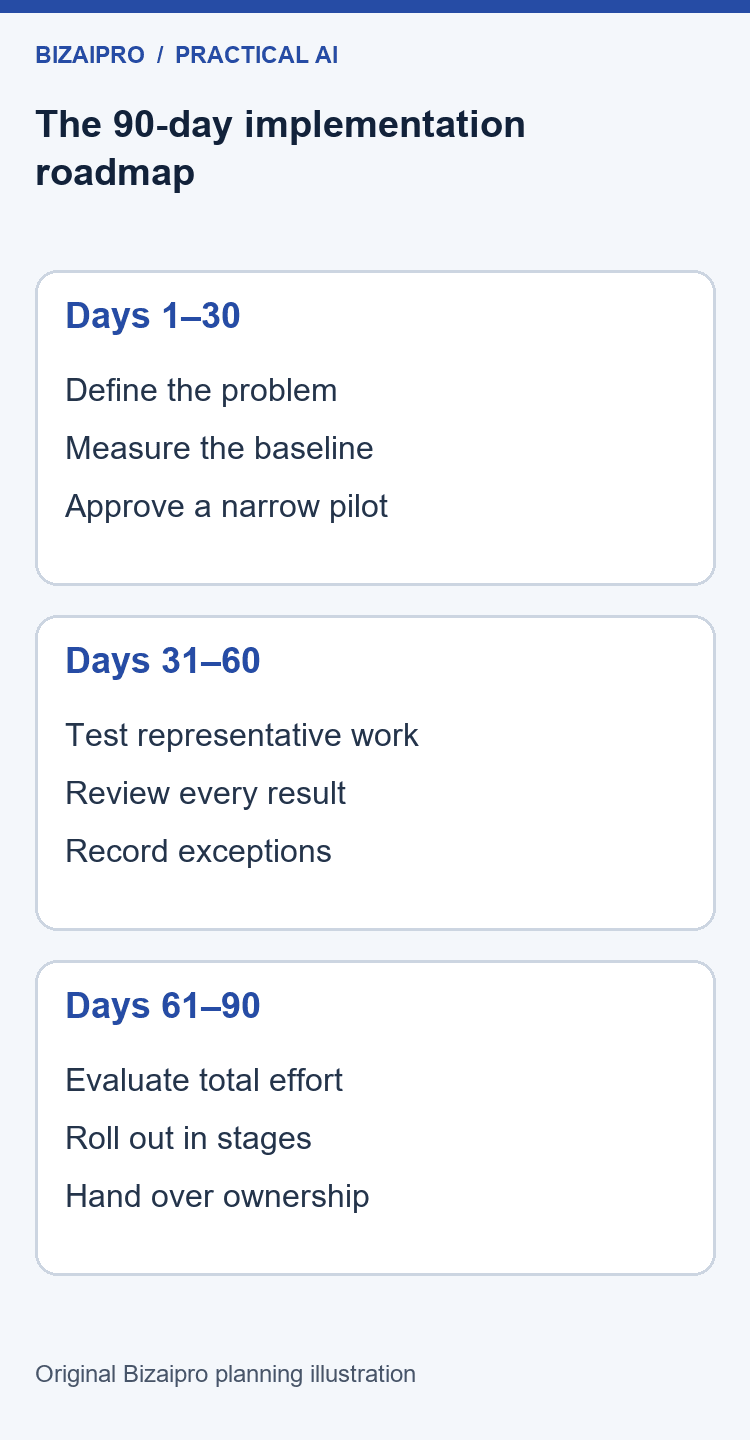
| Period | Main question | Practical output | Decision required |
|---|---|---|---|
| Days 1–7 | Which business problem matters? | Problem statement and workflow inventory | Sponsor agrees the problem is worth investigating |
| Days 8–14 | How does the process work today? | Baseline, exception list, and ownership map | Baseline is usable enough to compare alternatives |
| Days 15–21 | What information and controls are needed? | Data map and access boundaries | Data owner approves the proposed test material |
| Days 22–30 | Which approach deserves a pilot? | Requirements, shortlist, and pilot charter | Owner approves a bounded pilot |
| Days 31–45 | Can the process handle representative work? | Prototype and recorded test results | Critical failures are fixed or the scope is reduced |
| Days 46–60 | Can people operate it reliably? | Supervised pilot and exception workflow | Operator and reviewer accept the process |
| Days 61–75 | Is there a sustainable business benefit? | Cost review and controlled rollout proposal | Sponsor chooses expand, revise, or stop |
| Days 76–90 | Can the business maintain it? | Operating guide, handover, and review schedule | Named owner accepts ongoing responsibility |
The day ranges are deliberately adjustable. A solo business might complete the initial inventory in an afternoon but need several weeks to collect enough representative work. A team handling highly seasonal demand might need a longer baseline. Record why your schedule differs rather than pretending that every task fits the same timetable.
Use milestones as evidence checks
A milestone should describe what is known, not merely what has been done. “The tool account exists” confirms an administrative task. “The team tested representative enquiries and can identify unsupported answers before sending” provides evidence about the workflow. Write milestones in the second form whenever possible.
Avoid a long chain in which every unfinished task prevents all other useful work. While one person reviews vendor terms, another can document the manual process using non-sensitive information. While a prototype is being configured, an experienced operator can assemble challenging test cases. These activities should converge at the same decision point, with dependencies made explicit.
The owner of a milestone must have authority to reject it. A reviewer who can only give suggestions but cannot prevent unsafe deployment is not an effective approval point. Clarify which decisions belong to the workflow owner, the data owner, the technical implementer, and the business sponsor before the pilot begins.
Days 1–7: write a problem statement that can survive a software demo
The initial problem statement should describe the work, the person affected, and the cost of the current difficulty. A useful sentence might be: “Our operations coordinator spends too much time turning approved project notes into a consistent weekly update, and managers still need to correct missing actions.” That is more actionable than “We need AI to become more productive.”
The first statement suggests information sources, output requirements, review responsibilities, and measurements. The second invites almost any vendor to claim that their product is the answer. A clear problem statement protects the project from becoming a collection of disconnected demonstrations that are impressive in isolation but hard to maintain together.
Write down why the problem matters now. Perhaps a growing queue delays customer responses. Perhaps the owner is repeatedly interrupting focused work to assemble the same information. Perhaps a team cannot maintain consistent documentation as demand increases. The reason should connect to an actual business objective, rather than a fear that competitors might be using newer software.
Interview the person who does the work
Ask the operator to walk through a recent example from beginning to end. Do not start by asking what they want AI to do. Start by asking what arrived, how they recognised it, what information they needed, which decisions they made, and how they knew the task was finished. Then ask where the process became awkward.
Listen for work that disappears from formal process diagrams. People may reformat attachments, search old messages, ask a colleague for missing context, or copy information between systems because a field does not match. These small adjustments can determine whether an AI-assisted workflow saves time or creates additional checking work.
Ask about the last difficult case, not only the average one. A normally simple request may become complex when the customer changes a deadline, an old document contradicts a new policy, or several records refer to similar names. The difficult case often reveals the boundary that your pilot must respect.
Finish the interview by asking what the operator would refuse to hand over. Their answer may identify a consequential decision, tacit knowledge, or an important relationship. You can often design a useful supporting task around that boundary without automating the sensitive decision itself.
Build a short inventory of candidate workflows
Create a list of tasks with enough detail to compare them. Each entry should include its trigger, frequency, source information, output, current owner, typical variation, and consequence of error. Keep the inventory small enough that someone can read it in one meeting. An initial set of five to ten candidates is usually easier to discuss than a hundred vague ideas.
Examples include preparing a draft response to a common enquiry, converting structured meeting notes into an action list, extracting fields from a supplier document, or producing an initial content brief from approved research. These examples differ in their data needs and review burden. Do not group them all under “administration” and assume one tool will solve them equally well.
For each candidate, identify who receives the output. An internal draft that is checked before use has a different risk profile from a message sent directly to a customer. A suggestion that stays in a review queue is different from an instruction that changes an order. Write down the destination explicitly.
Also record whether the task should exist at all. If a report is produced every week but nobody reads it, automating it may preserve waste. If a form collects information that another system already holds, improving the form may be more useful than adding extraction software. Process removal and simplification are legitimate alternatives.
Define what success would look like
Describe success in operational language: less correction, a shorter queue, more consistent formatting, faster preparation, or better coverage of required information. Where possible, pair a time measure with a quality measure. A draft produced quickly is not valuable if the reviewer must reconstruct it from the source.
Choose an outcome that the pilot can influence. A small internal drafting workflow is unlikely to prove that company revenue increased because of AI. It can provide evidence about preparation time, correction rates, and whether managers receive clearer action lists. Do not attach a distant business outcome to a narrow process without explaining the connection and its uncertainty.
Set a spending boundary and a time boundary for the investigation. These are practical management limits, not predictions. For example, the sponsor may approve a defined number of staff hours to document and test the workflow before deciding whether further implementation is justified. Include that limit in the charter so a stalled experiment does not continue indefinitely.
Produce the first decision record
At the end of this phase, write a short record containing the problem, affected users, proposed outcome, candidate workflow, known constraints, and next decision. Add the date and the person accountable for the decision. This record becomes the anchor when a new feature, integration, or use case appears later.
If the team cannot agree on the problem, pause the software selection. You can still collect examples and baseline information, but buying tools is unlikely to resolve conflicting objectives. A marketing manager who wants higher output and an editor who wants fewer unsupported claims may both support AI, yet need very different acceptance criteria.
Days 8–14: establish a baseline you can compare fairly
A baseline describes how the existing process performs before the proposed change. It should include the complete task, not only the part an AI tool might replace. Record preparation, information gathering, drafting, checking, correction, handoff, and exception handling. Otherwise the new workflow can appear faster simply because some of its work is missing from the measurement.
Use a manageable sample of real, representative tasks that you are authorised to observe. The sample does not need to imitate a scientific trial to be useful, but you should be clear about its limits. Ten similar routine requests will tell you little about rare exceptions or seasonal demand. Record which kinds of cases were included and which were absent.
Do not send real customer or employee information to a new tool just to create the baseline. Timing the existing process and describing its steps can often be done without transferring the underlying content. For early demonstrations, create representative synthetic examples with no real personal or confidential information.
Separate active work from elapsed time
Active time is the time a person spends working on the task. Elapsed time is the time between the task arriving and its completion. A request may take ten minutes of active work but wait two days for approval. AI assistance might shorten drafting without changing the approval delay, so report those effects separately.
Record interruptions when they materially affect the workflow. If a coordinator repeatedly stops to ask for missing details, that is part of the current process. The proposed workflow may need a clearer intake form rather than a more capable model. A good baseline often identifies improvements that remain valuable even if you decide against AI.
Distinguish task volume from business demand. A quiet week may produce fewer requests than usual, while a product launch may generate unusually repetitive ones. Note the circumstances so that an apparently excellent pilot result is not attributed to the tool when it actually reflects an easier workload.
Use a baseline worksheet
| Field | What to record | Why it matters |
|---|---|---|
| Case reference | A non-sensitive identifier | Lets reviewers discuss the same case without copying private details |
| Task category | Routine, ambiguous, exception, or other agreed type | Shows whether the sample covers meaningful variation |
| Preparation time | Minutes collecting and organising input | Prevents hidden preparation work from disappearing |
| Production time | Minutes drafting or processing | Measures the step most tools promise to improve |
| Review time | Minutes checking facts and requirements | Captures the cost of supervision |
| Correction time | Minutes repairing mistakes | Prevents fast but poor output from looking successful |
| Waiting time | Time awaiting information or approval | Identifies process delays outside the AI task |
| Result | Accepted, revised, rejected, or escalated | Provides a simple quality outcome |
| Notes | Unusual circumstances | Helps explain outliers without deleting them |
Decide what counts as an accepted result before collecting the pilot data. “Looks fine” is difficult to compare across reviewers. “Contains the required fields, uses only supported facts, identifies missing information, and needs no substantive correction” is much clearer. The exact definition should fit your task.
Keep difficult examples in the record
Do not remove a case simply because it makes the process look inefficient. A difficult example may be unusual, but its consequences can still determine whether the workflow is suitable. Keep it labelled as an exception and explain why it differs from routine work.
If a timing measurement is genuinely invalid, retain a note explaining the exclusion. Perhaps the operator left the timer running during an unrelated meeting. That is different from a task taking longer because the input was confusing. The first may be a measurement error; the second is evidence about the process.
Invite the operator to review the baseline before it becomes a target. They may spot missing steps, unrepresentative cases, or an unrealistic expectation about how quickly someone can check an output. This also helps avoid presenting measurement as surveillance. The purpose is to improve the workflow, not to reward people for reporting artificially low times.
Interpret the baseline without overclaiming
Use simple descriptive summaries that your team can understand. Show the sample size, the range of results, and a typical result. If a few cases take much longer than the rest, explain them instead of hiding them behind one average. A chart can help, but a clearly labelled table may be enough.
Do not convert every saved minute into a cash saving. Time may become capacity for other work, reduced overtime, or less pressure on a small team. Cash savings require a real change in spending or a defensible opportunity to avoid future cost. Keep those categories separate when preparing the business case.
For a starting point on the financial worksheet, use Bizaipro’s AI ROI calculator, then replace its assumptions with your measured values. Treat the result as a planning estimate, not proof that a project will deliver the same return.
Days 15–21: map the information before connecting a tool
An AI workflow can only be assessed properly when you understand what information enters it, where that information goes, and what the output reveals. A folder name such as “marketing” or “operations” is not a meaningful data classification. The folder may contain public brochures, confidential contracts, staff details, customer records, and obsolete drafts together.
Start with the smallest information set that can support the proposed task. A content-brief assistant may need approved product facts and a writing brief. It probably does not need unrestricted access to the company’s entire document store. A meeting-summary workflow may need selected notes, not every message in the team’s communication history.
The NIST AI Risk Management Framework is a voluntary resource for considering trustworthiness across the design, use, and evaluation of AI systems. Bizaipro’s templates below are a smaller operational planning aid, not a NIST certification or a substitute for a formal assessment. Use the framework when you need a broader structure for identifying and managing AI-related risks.
Draw the path from source to result
Write the information path in plain language: an approved source is selected; relevant material is prepared; the tool produces a draft; a reviewer checks it; an authorised person places the accepted result in its destination. Then identify every service, account, person, and stored copy involved in that path.
Include temporary copies. Downloaded files, chat histories, automation logs, email attachments, and reviewer notes can contain the same sensitive material as the original source. Deleting one visible document does not establish that every copy has been removed. Ask vendors and administrators how the actual configuration handles storage and deletion.
Include outbound information as well as input. A summary can reveal confidential details even when it contains fewer words than the source. A generated email can expose an internal assumption or promise a service the company has not approved. Review the destination and audience, not just the document format.
Create an information-use register
For each source, record the owner, its intended use, the people permitted to access it, the period for which it remains useful, and the proposed destination. Record uncertainty explicitly. If nobody can say whether a supplier agreement permits a particular processing arrangement, that question belongs in the decision log before the information is uploaded.
Use categories your team can apply consistently. One practical starting point is public information, ordinary internal information, restricted business information, and information requiring specialist review. These are project labels, not legal classifications. Define examples for your organisation and ask the appropriate owner to approve the rules.
Avoid assuming that removing names makes information safe. A combination of project details, dates, locations, and transaction values may still reveal the person or organisation involved. For early testing, synthetic examples are often easier to control than imperfectly edited copies of real records.
Ask precise vendor questions
Ask what the selected plan and configuration do with submitted material. Does the service retain the input? For how long? Can an administrator control retention? What happens when a user leaves? Is the information used for model improvement under the relevant terms? Which connected services receive it? Can the business export or delete its records?
Record links to the actual documentation and the date you checked it. A generic statement that a vendor is “secure” does not answer whether a particular feature fits your requirements. A capability available on one plan may not exist on another. A sales conversation should be recorded as a vendor statement unless it is supported by the applicable documentation or agreement.
If a requirement cannot be verified, mark it unknown. Do not turn uncertainty into a positive score because a vendor is familiar or popular. You can sometimes continue with a lower-risk test using synthetic information while the question is resolved, but keep the production decision separate.
Limit access to the task
Use accounts and permissions that fit the workflow. A person testing draft generation may not need permission to send messages or modify customer records. A connector that reads a selected folder should not automatically receive access to unrelated repositories. Ask the administrator to verify what the connection actually permits.
Document who owns the integration credentials and how access will be removed. An implementation built around one employee’s personal account can become difficult to maintain when that person changes role or leaves. The handover should identify the approved business account, the responsible administrator, and the recovery process without placing secrets in the operating guide.
Separate the person who performs ordinary work from the person authorised to expand permissions. This can be lightweight in a small business: the owner approves the connection, while the operator uses the agreed workflow. The important point is that adding a new source or outbound action should trigger a deliberate review.
Define stop conditions before testing
Examples of stop conditions include unexpected disclosure, output sent to the wrong destination, repeated unsupported facts, access beyond the agreed scope, or a failure that prevents reviewers from tracing an answer to its source. Adapt these conditions to the consequences of your task.
Specify who can stop the workflow and how. A written instruction to “escalate concerns” is incomplete if nobody knows which switch disables an integration or where to find the owner. Test the stop procedure using a harmless example. Record the time and steps needed to return to the manual process.
The UK National Cyber Security Centre’s AI guidance provides a useful starting point for questions about AI and cyber security. Use it to support a conversation with the person responsible for your systems. It does not establish that a particular vendor or configuration is suitable for your business.
Days 22–30: compare approaches and approve a bounded pilot
Select an approach only after the task, baseline, and information boundaries are clear. Compare at least the improved manual process, a conventional automation, and the proposed AI-assisted workflow. In some cases, a clearer form, an approved template, or a simple rule will solve most of the problem with less maintenance.
Microsoft’s business planning guidance for AI agents distinguishes predictable tasks that can use ordinary code from work that may benefit from more adaptive behaviour. That is a useful selection question even when you are considering a small business application rather than building an agent. Choose the simplest approach that meets the task’s requirements.
Compare operating models rather than brand reputations
| Approach | Useful when | Main advantage | Main limitation | Pilot question |
|---|---|---|---|---|
| Improved manual process | Volume is modest and judgement is central | Low setup complexity and direct control | Capacity remains tied to staff time | Would a better template solve the problem? |
| Rule-based automation | Inputs and decisions are predictable | Behaviour is easier to specify and test | Exceptions need explicit handling | Can clear rules cover enough of the workload? |
| AI-assisted drafting | Inputs vary but a person can verify output | Flexible first drafts or suggestions | Review and correction remain necessary | Is the accepted result faster to produce overall? |
| AI-assisted extraction | Documents vary but required fields are clear | Can organise inconsistent input | Missing or ambiguous fields can be misread | Can errors be detected before records are used? |
| AI with external actions | The task requires controlled changes across systems | Can reduce handoffs when carefully constrained | Incorrect actions can have wider consequences | Can permissions, approvals, and rollback contain failure? |
This is an operating-model comparison, not a product ranking. No vendor pricing is quoted because this plan does not depend on a specific paid product. During procurement, record current monthly and annual prices, seat minimums, usage allowances, add-ons, taxes where applicable, and cancellation terms directly from the chosen vendor. Add a real “Pricing checked” date when those facts have been verified.
Write requirements as observable behaviours
A requirement such as “easy to use” needs a practical test. For example: a trained operator can prepare the input, run the workflow, review the result, and find the exception log without help from the implementer. A requirement such as “accurate” needs the relevant facts and failure conditions defined.
Separate essential requirements from preferences. If the workflow must preserve source references, that may be a pass-or-fail condition. A preferred colour scheme should not compensate for missing references in a numerical score. Decide which requirements are non-negotiable before seeing a vendor demonstration.
Write requirements for failure as well as success. The tool should have an acceptable response when a document is missing, a field is ambiguous, or the selected source does not support an answer. “Returns an explicit request for clarification” may be more useful than a confident answer constructed from assumptions.
Use a shortlist small enough to test properly
An enormous comparison spreadsheet can create the appearance of rigour while leaving little time for actual evaluation. Start with a few plausible approaches that meet the essential constraints. Explain why each made the shortlist and which unresolved question its test should answer.
Use the same task pack for each candidate. If one product receives carefully prepared input and another receives a disorganised folder, the comparison is not informative. Record the plan, settings, integrations, and instructions used so that the result can be interpreted later.
Do not claim that a trial proves every feature of a product. Your conclusion should be specific: under these conditions, on these tasks, with these checks, the workflow did or did not meet the acceptance criteria. Bizaipro’s review methodology explains why a research-based assessment should remain distinct from a genuine hands-on test.
Assign four responsibilities
The business sponsor decides whether the project is worth pursuing. The workflow owner defines what good work looks like. The data or system owner approves the relevant access and information use. The operator and reviewer run the process and identify practical problems. In a small team, one person may hold several roles, but the responsibilities still need to be explicit.
Avoid making the implementer the only person who can judge success. They may understand the configuration but not the consequences of a subtle business error. An experienced operator should evaluate whether the result is usable, while the sponsor evaluates whether the benefit justifies the cost.
Name a backup owner for routine operation. A workflow that works only while its creator is available has not yet become a dependable business process. The backup does not need to master every technical detail, but should know how to run the approved procedure, stop it, and contact the right person.
Approve a pilot charter
The charter should fit on a small number of pages. Include the problem, chosen task, excluded activities, test users, approved information, budget, dates, acceptance criteria, stop conditions, and decision owner. Link to supporting material rather than copying long policy documents into it.
State what the pilot may not do. For example, it may produce internal drafts but not publish content, send customer messages, change prices, approve refunds, or update source records. These boundaries should match the actual permissions and operating procedure, rather than existing only in a document.
Finish with a scheduled decision meeting and the evidence required for it. The purpose of the meeting is not to celebrate implementation effort. It is to choose the next action based on the results, including the option to stop. Agreeing that option in advance makes an honest assessment easier.
Days 31–45: build a test pack before trusting the prototype
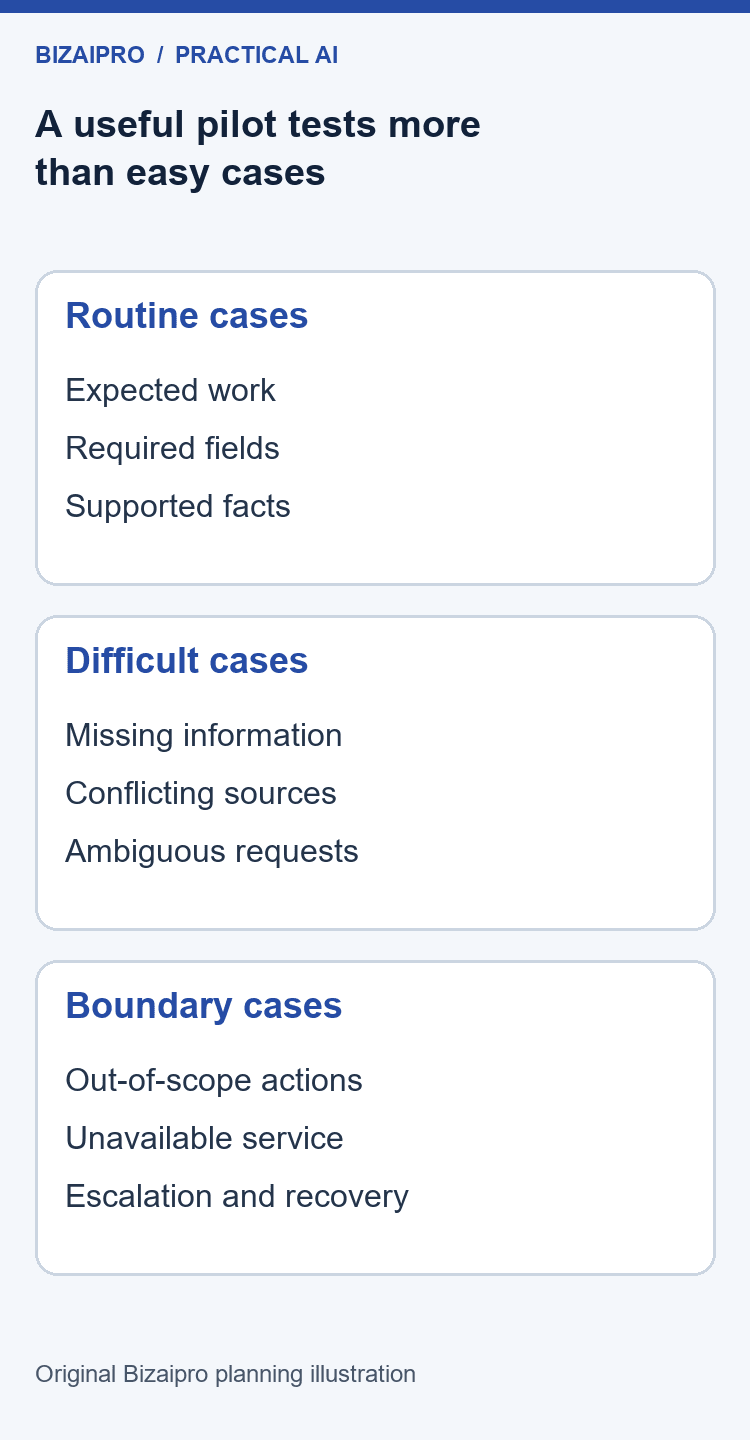
The prototype should be tested against representative tasks, confusing inputs, and clear boundaries. A single impressive demonstration is not enough. The task pack should make it possible to see both where the workflow helps and where it needs supervision, a narrower scope, or a different approach.
Build the pack with the operator, not only the implementer. The operator knows which details are routinely missing, which requests sound simple but have unusual consequences, and which mistakes are easy to overlook. Their experience helps prevent a test set made entirely of tidy examples.
Include several kinds of test case
Start with routine cases that represent the expected workload. Add incomplete cases where an important field is absent. Add conflicting cases where two sources disagree. Add out-of-scope cases that should be refused or escalated. Add formatting variations and cases with similar names, dates, or identifiers where confusion would matter.
For a content-brief workflow, a routine case might contain an approved topic, audience, product specification, and source list. An incomplete case might omit the target audience. A conflicting case might contain two different approved prices from different dates. An out-of-scope case might ask the tool to invent a customer quotation. The expected response should be written before running the test.
Avoid using real secrets, credentials, or sensitive records as challenge material. You can create synthetic examples that test the relevant behaviour without exposing genuine information. The purpose is to test the workflow’s handling of the situation, not to create an actual incident.
Write the expected result in business terms
For each case, record the facts that must be preserved, the information that must not be invented, the action that is allowed, and the situation that requires escalation. A test does not always need one exact sentence as its answer. Several phrasings may be acceptable if they satisfy the same business requirements.
A drafting tool, for example, may produce different wording each time. Evaluate whether the required information is present, supported, clear, and suitable for the intended audience. A field-extraction workflow needs a more exact comparison because a misplaced date or identifier can change the meaning of the record.
Define critical errors separately from cosmetic ones. A missing comma should not carry the same weight as sending confidential information to an unauthorised recipient. If a critical error occurs, investigate the process and controls before using an overall average score to suggest that performance is acceptable.
Record configuration and results together
Keep the input reference, instruction version, tool configuration, output reference, reviewer, result, and notes together. If you change the instructions, mark the version so you can compare the effect. Otherwise a successful result may be impossible to reproduce because nobody remembers which settings produced it.
Do not edit a failed output silently and record it as a success. Record the original failure, the correction required, and the accepted final result. Correction effort is part of the workflow’s cost. A system that requires substantial manual reconstruction may still have a useful narrow role, but its performance should be described accurately.
Use a simple result scale with written definitions. For instance, accepted without substantive change, accepted after correction, rejected, or escalated appropriately. These categories are easier to interpret when paired with reasons such as unsupported claim, omitted field, wrong source, unsuitable tone, or prohibited action.
Test the human review step
Give reviewers the source material and the agreed checklist. Ask them to identify problems without relying on the implementer’s explanation. If a reviewer cannot tell whether an answer is supported, the workflow needs better references, a narrower task, or a different review method.
Time the review step during testing. A seemingly helpful draft can be expensive to check if it blends correct facts with plausible errors. In some tasks, a structured output with clear source references may be more valuable than polished prose. Let the review evidence guide the output format.
Ask reviewers where they felt uncertain. Uncertainty is useful information, not a sign that the reviewer has failed. Record whether the source was missing, the instruction was ambiguous, or the output made a decision that should belong to a person. Each cause suggests a different improvement.
Test interruption and recovery
Run a harmless test in which the service is unavailable or a required input is missing. Can the operator recognise the failure? Does the task remain visible in the queue? Can the business complete it manually without duplicating an external action? Does the reviewer know which result is current?
If the workflow can create records or send messages, test how duplicate attempts are handled in a safe environment. A retry after a timeout can be dangerous if the first action actually succeeded. The implementation needs a way to identify the intended action and determine whether it already happened before repeating it.
Keep a recovery note for each important failure mode. Describe the symptom, the immediate action, the person to contact, and the condition for restarting. An operator should not need to interpret a technical error message while a customer is waiting.
Decide whether the prototype is ready for a pilot
Review the full set of results, not only the most successful examples. Identify which task types passed, which failed, and which were not tested. If the tool works reliably for a narrow subset, consider limiting the pilot to that subset rather than declaring the entire process ready.
Record unresolved issues with owners and deadlines. A minor formatting issue may be acceptable for an internal pilot if the reviewer knows about it. An unresolved information-access issue or uncontrolled external action should prevent expansion. The decision should explain why the remaining risk is acceptable for the specific pilot scope.
For practical workflow ideas and existing process guidance, see Bizaipro’s business automation hub. Use those resources to identify a contained task, then apply the test design here to your own operating conditions.
Days 46–60: run the workflow with supervision
The supervised pilot tests whether the process works under ordinary operating conditions. The prototype may have shown that a task is possible. The pilot must show whether the right people can perform it, detect problems, handle exceptions, and maintain the required standard when other work competes for their attention.
Keep the initial user group small enough that you can understand what happens. Choose people who know the workflow and will report difficulties honestly. An enthusiastic volunteer is useful, but enthusiasm is not a substitute for operational experience. Include a reviewer who understands the consequences of a wrong result.
Define an ordinary working session
Describe the steps from opening the approved source to completing the handoff. Specify which account to use, where the current instructions live, what information to prepare, how to label the output, and where the review decision is recorded. The procedure should be short enough to follow during real work.
Run one session with a colleague who did not build the prototype. Observe where they hesitate, search for information, or make an assumption. These moments identify gaps in the procedure. Improve the instructions rather than treating every misunderstanding as a training failure.
Do not rely on an informal chat message as the only source of the current workflow. Messages are useful for discussion, but a maintained operating guide should identify the approved version. Link the discussion to the guide when a change is accepted, so the next operator does not have to reconstruct a decision from conversation history.
Separate routine work from exceptions
Create a visible path for tasks the workflow cannot safely handle. An exception should have a reference, a reason, a responsible person, and a next action. It should not disappear into a private message or remain silently unfinished because the operator is unsure what to do.
Some exceptions are expected and acceptable. A drafting assistant may correctly ask for missing information. A document-processing workflow may flag a low-quality scan. Count these separately from incorrect outputs. An appropriate escalation can be a successful result even when the task is not completed automatically.
Track whether the exception workload is manageable. If reviewers receive more unclear cases than they can handle, the pilot may create a new bottleneck. Narrow the eligible input, improve intake requirements, or return some cases to the manual process. The goal is a better overall workflow, not the largest possible percentage of AI involvement.
Train people on boundaries and verification
Training should show an ordinary successful case, an ambiguous case, and a case that must be stopped. Ask participants to explain why the cases differ. This is more informative than demonstrating only a polished result and telling people to be careful.
Teach the review checklist in the context of the actual output. If the task is producing a project update, show how to verify names, dates, actions, owners, and unresolved questions. If the task is preparing a marketing brief, show how to distinguish a sourced product fact from an unsupported suggestion.
Include practice with the manual fallback. People should know how to complete the work when the tool is unavailable. A fallback that has never been rehearsed can become difficult during a busy period, especially if the team has stopped maintaining the original template or source process.
Keep feedback specific
“The AI is bad” and “the AI is amazing” are both weak implementation evidence. Ask what happened, which input was used, what the expected result was, what the reviewer changed, and whether the same issue appeared elsewhere. Specific feedback can lead to a process improvement; general reactions usually cannot.
Make it easy to report a problem without preparing a long document. A short form or shared issue list can capture the essential facts. Keep sensitive material in approved locations and reference it rather than copying it into an unrestricted tracker.
Close the feedback loop. When an issue is resolved, explain what changed and whether operators need to do anything differently. When an issue cannot be resolved, update the scope or known limitations. Staff are more likely to report useful problems when they can see that their reports affect the workflow.
Watch for work moving out of sight
A workflow can appear efficient while transferring effort to someone else. The drafter may save time, but the reviewer may spend longer checking the output. The team may reduce data entry while increasing time spent preparing files. The owner may see fewer questions because employees are privately repairing results.
Ask each role about its workload and compare the answer with the baseline. Record all substantial preparation, review, correction, and maintenance time. If the process creates a new role, include that role in the business case even if the responsibility is initially performed informally.
Also ask whether the output changes downstream work. A clearer project summary may reduce follow-up questions, while a poorly structured one may create confusion at the next handoff. Where practical, include the recipient’s experience in the evaluation rather than stopping measurement when the draft is produced.
Protect the pilot from uncontrolled expansion
Successful early results often create requests for more users, more information, and more actions. Keep a backlog for those requests, but do not add them automatically. Each expansion can change the risks, cost, and review requirements that made the original pilot acceptable.
A useful change request describes the proposed addition, expected benefit, new information involved, new failure modes, and test evidence required. The owner can then decide whether to include it in the current pilot or evaluate it as a later project.
Use the end-of-pilot meeting to compare the agreed criteria with the actual results. Include the successful cases, failed cases, escalations, user feedback, and ongoing workload. The decision should say exactly which scope is ready, which remains experimental, and who owns the next step.
Days 61–75: examine costs, benefits, and alternatives
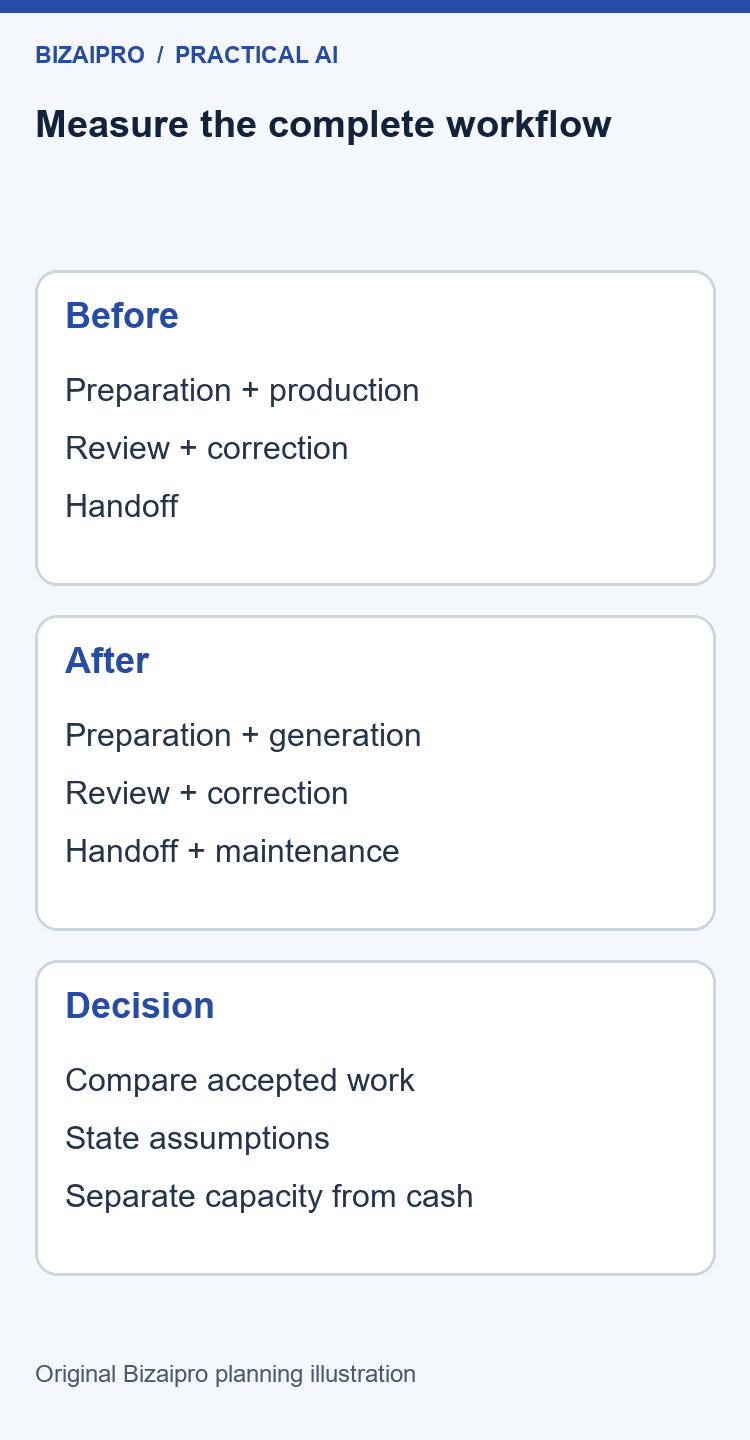
The commercial decision should use the complete operating cost of the workflow. Subscription price matters, but it is only one line. Configuration, training, preparation, review, corrections, administration, integration maintenance, and switching effort can all affect whether the project is worthwhile.
Separate one-time implementation effort from recurring work. A setup task may be expensive but need to happen only once. A small daily review burden can accumulate into a substantial monthly commitment. Treating both as one undifferentiated cost makes it harder to understand the decision.
Build a transparent cost worksheet
Use a worksheet that exposes assumptions instead of hiding them behind a single return figure. Record the number of users, task volume, expected eligible share, time spent at each step, software charges, implementation effort, and maintenance allowance. Add a source or explanation for every important number.
| Cost component | How to estimate it | Evidence to retain |
|---|---|---|
| Software subscription | Applicable plan, seats, billing period, and required add-ons | Vendor pricing or written quote with check date |
| Usage charges | Expected task volume and relevant usage unit | Vendor definition of the unit and observed pilot usage |
| Setup | Staff and contractor time preparing the workflow | Work log or agreed estimate |
| Training | Preparation and participant time | Training plan and attendance |
| Review | Time checking outputs before use | Pilot task records |
| Correction | Time repairing accepted outputs | Reviewer notes and timings |
| Maintenance | Recurring monitoring, testing, and configuration work | Named tasks and responsible owners |
| Exit effort | Export, replacement, and process restoration work | Tested export and fallback procedure |
Do not compare an annual subscription figure with a monthly benefit. Put recurring figures on the same time basis, and make the treatment of one-time costs explicit. If a vendor bills annually, distinguish the cash commitment from the monthly equivalent used in your planning worksheet.
Work through an illustrative capacity calculation
Suppose a team handles 120 eligible internal summaries per month. In this invented example, the existing process takes twelve minutes of active work per summary, including review. The proposed process takes eight minutes, including input preparation, review, and correction. The difference is four minutes per summary, or 480 minutes across the monthly workload.
That represents eight hours of potential capacity. It does not automatically represent eight hours of reduced payroll expense. The team might use the capacity to complete other work, reduce a backlog, or avoid some overtime. Identify the intended use rather than describing every time saving as cash returned to the business.
Now add recurring administration. If the owner spends two hours each month maintaining instructions, reviewing issues, and checking changes, the estimated net capacity benefit becomes six hours. If the pilot also showed additional downstream correction work, include it. The calculation should follow the work, not a preferred conclusion.
These numbers are deliberately simple and illustrative. They are not Bizaipro test results or typical industry performance. Replace them with your measurements and record the range of plausible outcomes. A project should not depend on one optimistic assumption remaining true forever.
Examine sensitivity to workload and review time
Ask what happens when volume falls, review takes longer, or fewer tasks are eligible than expected. A workflow that looks attractive at 120 tasks per month may not justify the same subscription and maintenance cost at twenty tasks. Conversely, a seasonal peak may create a strong temporary use case without supporting year-round expansion.
Create a conservative, central, and favourable scenario using explicit assumptions. Do not attach probabilities unless you have a defensible basis for them. The scenarios are a way to understand which assumptions matter most, not a forecast presented with artificial precision.
Review time often deserves special attention. If output quality varies, the reviewer may need to examine every result closely. A small change in average checking time can remove much of the expected benefit. Consider whether a narrower task or more structured output would make review easier.
Compare benefits beyond speed carefully
Consistency, coverage, and reduced mental effort can be useful benefits, but they still need evidence. You might measure whether required fields are present, whether updates arrive on time, or whether users report fewer interruptions. Explain the measure and its limitations rather than converting every qualitative improvement into money.
Avoid double counting. If faster preparation already contributes to the measured time saving, do not count the same minutes again as reduced administrative cost. If a clearer output reduces follow-up questions, measure that separately and explain how it was observed.
Some benefits remain uncertain after a small pilot. Record them as possible benefits for a longer evaluation rather than adding them to the confirmed result. A credible business case can contain uncertainty; it becomes misleading when uncertain benefits are presented as established outcomes.
Consider the cost of dependence
A workflow can become difficult to leave when instructions, records, and team knowledge accumulate in one service. Test whether important material can be exported in a usable form. Identify which parts depend on a particular vendor feature and which can be maintained independently.
Ask what happens if a price changes, a feature is removed, a plan no longer meets your requirements, or the service becomes unavailable. You do not need to predict every event, but you should know whether the business has a workable alternative. A manual fallback, documented requirements, and portable source material can reduce switching difficulty.
For further reading on evaluating efficiency rather than collecting software subscriptions, see Bizaipro’s productivity and efficiency resources. Keep the implementation decision tied to the work your team needs to accomplish.
Make one of four decisions
Expand when the workflow meets its requirements and the business can support ongoing ownership. Revise when the core idea is useful but a specific problem needs further work. Maintain a narrow scope when only a limited task set has sufficient evidence. Stop when the benefit, quality, or operating burden does not justify continuation.
Write the reason and the next action. “Continue exploring” is not a complete decision unless it includes a defined question, an owner, a budget, and a date. Otherwise the pilot can become a permanent experiment that consumes attention without creating a dependable process.
Days 76–90: roll out deliberately and hand over ownership
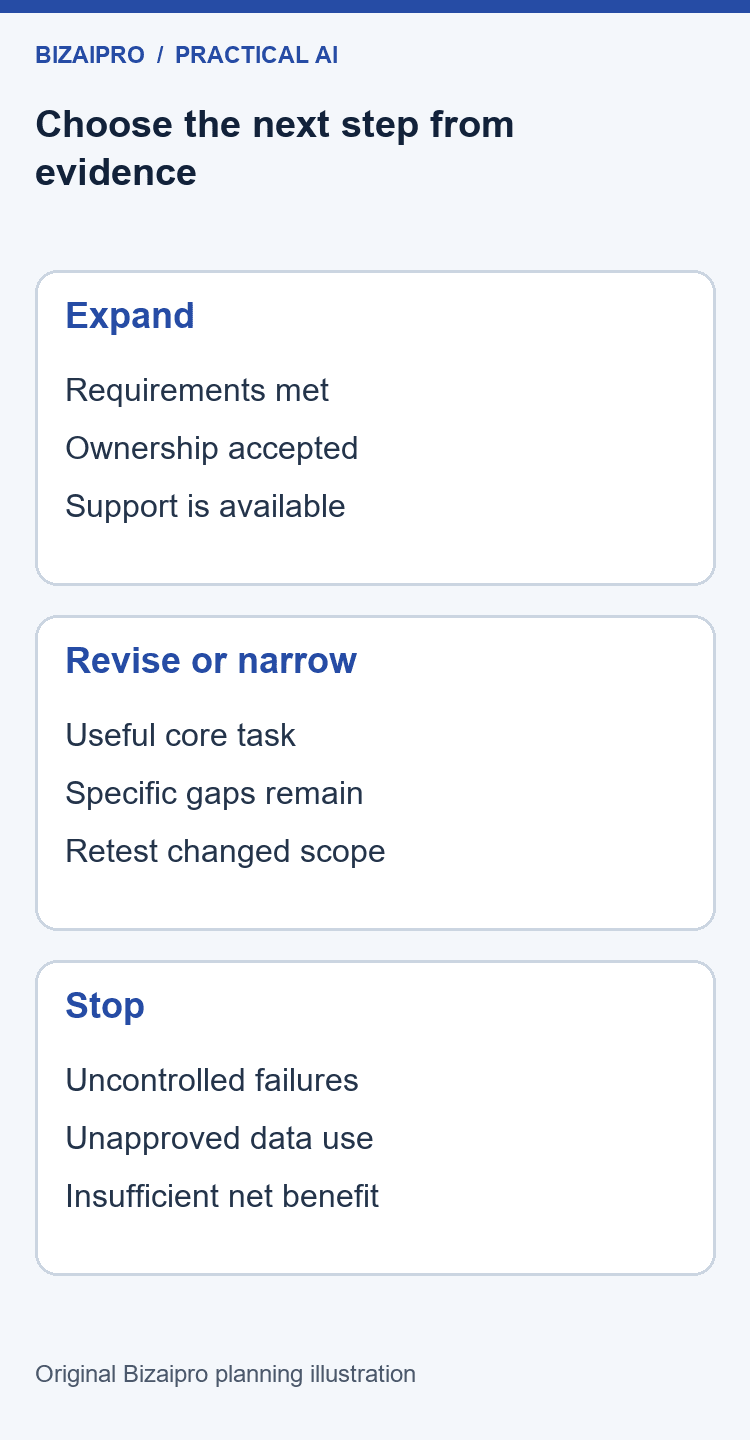
A rollout introduces the approved workflow to its intended operating environment. It should not quietly add new sources, new users, or new external actions beyond the tested scope. Keep the initial rollout small enough to observe, and expand in steps that the support and review process can handle.
Choose a start time when the responsible people are available. Avoid launching immediately before a holiday, a major deadline, or an anticipated demand spike unless the business has a clear reason and adequate support. The first days should make it easy to detect and resolve problems.
Prepare a release checklist
Confirm that the approved accounts work, the required information is current, the operating guide is accessible, and the reviewer understands the acceptance criteria. Check that old instructions are clearly superseded. Make sure the owner knows where to find logs, issue reports, and the manual fallback.
Confirm the actual permissions one more time. A test connection may have been configured differently from the production connection. Verify the sources it can read and the actions it can perform. Do not assume that a similarly named account or connector has the same boundaries.
Review the unresolved issue list. For each remaining issue, state whether it is acceptable within the release scope, what workaround exists, who owns it, and when it will be reconsidered. An issue should not disappear simply because the pilot period has ended.
Communicate the change in practical terms
Tell users what has changed, when it applies, and where to get help. Explain the approved task, the information they may use, the review they must perform, and the situations that require escalation. Avoid a promotional launch announcement that describes capabilities more broadly than the actual workflow permits.
Show the expected output and the handoff. People should be able to recognise whether a task is complete and where the next person becomes responsible. If the result is still a draft, label it clearly. If review is mandatory, make that step visible in the procedure.
Give recipients a way to report problems. The person receiving a project summary or customer-response draft may notice omissions that the operator missed. Their feedback should reach the workflow owner through an agreed channel rather than relying on informal relationships.
Use staged expansion
Expand one meaningful dimension at a time where practical. You might add another operator before adding a new source, or increase volume before allowing a new action. Changing several dimensions together makes it harder to understand the cause of a problem.
Before each expansion, review whether the original tests still represent the workload. A tool that handled short internal notes may behave differently with long documents or unfamiliar terminology. Add tests for the new scope and update the operating guide accordingly.
Keep an explicit decision to return to the previous scope if results deteriorate. A rollback does not have to mean removing all software. It may mean disabling a connector, restricting the input set, returning external actions to manual approval, or pausing the affected task type.
Test the handover with a second operator
Ask the backup operator to complete a normal task and an exception using only the maintained guide. Observe which questions they cannot answer from the documentation. Fix those gaps before declaring the process handed over.
The handover should include business context, not only button clicks. Explain why a source is approved, why certain information is excluded, and why a reviewer checks particular fields. When the interface changes, that context helps the operator recognise which parts of the process still matter.
Store credentials through the business’s approved account-management process. Do not put passwords, recovery codes, or API keys in a shared operating document. The guide should identify the responsible administrator and approved access route without exposing the secret itself.
Define maintenance triggers
Review the workflow when the source information changes, the vendor changes relevant behaviour, the business adds a new task, an incident occurs, or users report a pattern of errors. These triggers are often more useful than relying only on a distant annual review.
Also schedule a proportionate routine review. A stable internal drafting process may need less frequent attention than a workflow dependent on changing prices, product information, or external integrations. The owner should choose the interval based on volatility and consequence, then record the reason.
At each review, check whether the workflow still solves the original problem. Staff, demand, and systems change. A useful pilot can become unnecessary when the underlying process is simplified, or inadequate when the business grows. Continuing a subscription should be an operational decision, not an automatic reward for past effort.
Write the day-ninety decision
Summarise the original problem, the tested scope, the measured outcome, the total operating burden, the remaining limitations, and the chosen next step. Include links to the evidence and name the ongoing owner. Keep the summary understandable to somebody who did not attend the pilot meetings.
If the decision is to stop, record what was learned and which assets remain useful. The baseline, process map, source register, and test cases can support a future improvement even when the selected tool is unsuitable. Avoid treating a well-evidenced stop as failure; it may be the most valuable decision the project produces.
If the decision is to continue, specify the next review date and the conditions that would trigger an earlier review. The implementation is then part of normal business management, with ownership and evidence attached, rather than an experiment that nobody formally accepted.
Three illustrative business applications
The following scenarios show how the same planning method changes with the task. They are invented examples for explanation, not reports of Bizaipro clients or tested deployments. Use them to identify questions for your own pilot, and replace every operational assumption with evidence from your business.
A small agency preparing weekly client updates
An agency wants to reduce the effort required to prepare a weekly status update. Its approved input is a structured set of project notes containing completed work, next actions, owners, dates, and unresolved questions. The proposed AI task is to organise those notes into a draft update. It does not decide what work should be promised or send the update to the client.
The baseline records how long the coordinator spends gathering notes, drafting the update, checking dates, and obtaining approval. The team discovers that missing task owners account for much of the delay. Before testing a tool, it improves the note template so every action has an owner or an explicit “owner required” label.
The test pack includes a routine update, a missing deadline, two conflicting status notes, and a request to describe unfinished work as complete. The expected behaviour is to preserve supported facts and flag uncertainty. A polished update that quietly resolves a conflict by inventing a date is a failed test, even if the writing sounds professional.
During the pilot, the project manager reviews every draft against the notes. The team measures total preparation and checking time, not just generation time. It also asks the client-facing colleague whether the draft makes the next action easier to understand. If the output is helpful, the rollout may remain a drafting workflow with approval required before sending.
The useful asset is a standard update template that remains valuable without the AI tool. It contains sections for completed work, planned work, decisions required, and risks. The agency can share a blank version internally or publish a non-confidential version as an original resource. The asset’s value comes from helping somebody organise work, not from claiming that a tool guarantees better client relationships.
A retailer drafting product descriptions from approved facts
A small retailer wants consistent draft descriptions for products with verified specifications. The approved input contains the product name, materials, dimensions, intended use, care instructions, and claims the supplier has substantiated. The AI task is to turn those facts into clear prose for editorial review.
The workflow explicitly excludes inventing certifications, performance claims, customer reviews, or comparisons with competitors. Missing specifications remain missing. The reviewer checks that the text does not imply a capability that the product information does not support. Product safety and legally required information need the appropriate specialist process outside this generic writing task.
The baseline includes collecting specifications, writing the description, checking facts, formatting, and entering the result into the store. A tool that speeds writing but creates additional fact-checking work may deliver little overall benefit. The retailer therefore compares accepted final descriptions, not raw drafts.
The test pack includes products with similar names, incomplete dimensions, conflicting supplier documents, and a prompt asking for an exaggerated benefit. The operator records which cases can be handled within the approved scope and which need supplier clarification. No description is published automatically during the pilot.
If the workflow is adopted, the operating guide identifies the current source of product facts and the person who approves changes. When a supplier updates a specification, the retailer reviews affected descriptions instead of assuming that generated text remains current. A useful linkable asset might be a blank product-information checklist for other small retailers, clearly presented as an editorial template rather than a compliance guarantee.
A service business organising incoming enquiries
A service business receives enquiries that vary in wording but usually contain a few common elements: the requested service, location, timing, and a description of the need. It wants a draft internal summary so a coordinator can decide what information is missing and which colleague should review the request.
The initial AI task is classification and summarisation. It does not promise availability, quote prices, reject customers, or send a response. Those actions remain with authorised staff. This narrow scope makes it easier to test the value of organising information before considering any customer-facing automation.
The test pack includes a clear request, an enquiry with missing contact details, a message covering two services, an ambiguous deadline, and content unrelated to the business. The expected result distinguishes stated information from inference. If the location is absent, the summary should say that it is absent rather than guessing from another detail.
The baseline measures the coordinator’s time to understand the request and identify the next step. During the pilot, reviewers compare the AI summary with the original enquiry and record omissions. The team also checks whether a clearer intake form would solve the same problem more simply.
The pilot can succeed without becoming an autonomous sales system. A reliable internal summary may be enough. Bizaipro’s marketing and sales resources can help you explore adjacent tasks, but each proposed expansion should have its own requirements, information boundaries, and tests.
Original Bizaipro templates to copy and adapt
These templates are deliberately written in plain language so a small team can maintain them in a document, spreadsheet, or project tool. They are not a certification framework. Their purpose is to make responsibilities, assumptions, and decisions visible. Replace the example wording with the facts of your workflow.
Template 1: one-page pilot charter
| Charter field | Your entry |
|---|---|
| Business problem | Describe the repeated difficulty and who experiences it |
| Proposed outcome | State the operational improvement you want to observe |
| Workflow owner | Name the person who defines acceptable work |
| Sponsor | Name the person who approves spending and continuation |
| Eligible task | Define the exact task and its trigger |
| Excluded activities | List actions the pilot must not perform |
| Approved information | Identify the sources and their owners |
| Users and reviewers | Name the people involved in the limited pilot |
| Baseline | Link to the current-process evidence |
| Acceptance criteria | Define quality, time, and operating requirements |
| Stop conditions | State failures that require an immediate pause |
| Budget and time boundary | Record the approved commitment |
| Decision date | Set the date and evidence required for the next decision |
Use the charter during the project, not only at the beginning. If a new request changes the eligible task or the approved information, update the charter through the agreed decision owner. Keep the previous version so reviewers can understand what changed and why.
Template 2: test-case record
Give each case a reference, a task type, an input description, expected behaviour, prohibited behaviour, actual result, reviewer, and decision. Store the source and output in approved locations and link to them. Do not paste sensitive content into a broadly shared issue tracker for convenience.
An example expected behaviour might read: “List the three supported actions, preserve their owners, and mark the missing deadline as unresolved.” The prohibited behaviour might read: “Do not assign a deadline or claim that an action is complete unless the source explicitly supports it.” These statements make review much more useful than a general request for an accurate summary.
After a failure, add the cause if it is known and the next action. Distinguish a source problem, an instruction problem, a configuration problem, and a limitation of the approach. Do not mark the case closed until the fix has been retested or the task has been removed from scope.
Template 3: operating instruction
Write the trigger first: “Use this process when an approved weekly project note is ready.” Then list the required source, the approved account, the current instruction version, and the expected output. Describe the review checklist and the location where the approval is recorded.
Include an exception paragraph: “If a required source is missing or two sources disagree, stop the draft from progressing and send the case to the workflow owner.” Add the actual owner and contact route in your internal version. State what should happen to the task while it waits so that it is not lost.
Include a fallback paragraph describing how to complete the task manually. Specify when the workflow may restart after a failure and who makes that decision. The operator should not have to decide alone whether an unfamiliar error is safe to ignore.
Template 4: change request
Record the proposed change, the business reason, the expected benefit, and the part of the workflow it affects. Identify new information sources, new destinations, additional permissions, and new users. List the tests required before the change can become part of normal operation.
Ask whether the change invalidates any existing evidence. A new instruction may alter how missing information is handled. A different source format may make earlier extraction tests less representative. A new vendor plan may change administrative controls. The change request should identify which assumptions need to be checked again.
Finish with a decision, an owner, a release date, and a rollback condition. Keep the request short enough to use routinely. The goal is a clear record of meaningful changes, not an approval process so elaborate that people work around it.
Template 5: expansion or stop decision
Summarise the tested scope, sample limitations, accepted results, important failures, review burden, and total cost assumptions. State which evidence supports continuation and which remains uncertain. Then choose expand, revise, maintain narrow scope, or stop.
For expansion, describe exactly what becomes available next and which controls remain in place. For revision, identify the question to resolve and the resources approved to resolve it. For stopping, describe how access, data, subscriptions, and ongoing tasks will be handled.
Retain the decision even if the project ends. It can prevent another team from repeating the same experiment without learning from the result. It also provides a more credible account of the implementation than an isolated success story chosen after the fact.
For additional starting material, explore the free resources collection. Choose templates that solve an actual operating problem and adapt them to your process instead of adding documents merely to make the project look larger.
Benefits, limitations, and situations where this approach is unsuitable
The main benefit of a bounded implementation plan is that it makes the decision inspectable. The team can see what problem is being addressed, what information is involved, what was tested, and who accepts the result. That structure can reduce confusion even when the final decision is not to deploy AI.
The approach also helps separate different kinds of progress. Better source information, a clearer intake form, and a useful template may improve the process independently of the model. Recording those changes makes it easier to understand which improvements should remain if the AI component is removed.
The limitation is that careful implementation takes time. Staff must collect examples, review results, document exceptions, and maintain the process. A very small or infrequent task may not justify that effort. In such cases, an improved manual checklist can be the better choice.
Another limitation is the reach of a small pilot. A narrow set of examples cannot establish that every future input will be handled well. The plan therefore relies on controlled scope, review, and ongoing monitoring. It does not turn a limited test into a guarantee of reliability.
This approach is best for repeatable, observable tasks where the output can be checked and failure can be contained. It is less suitable as a quick route to autonomous consequential decisions, uncontrolled access to sensitive systems, or a broad transformation with no agreed owner. Those situations require a different level of expertise, assurance, and organisational preparation.
Bizaipro Takeaway: Choose the smallest task that can answer a meaningful business question. A narrow workflow with measurable value is more useful than a broad demonstration with no reliable operating procedure.
Regional and organisational considerations
Small businesses in the United States, United Kingdom, Canada, and Australia can use the same basic planning structure, but their actual obligations and available products may differ. Do not assume that a vendor’s availability in one market establishes its suitability in another. Verify the plan, contract, support arrangements, billing currency, and relevant data-handling terms for your organisation.
If you operate across borders, record where the people, systems, and relevant information are located. Ask the appropriate specialist to assess requirements that depend on those facts. This guide does not provide a universal legal checklist or imply that a single setting establishes compliance in every jurisdiction.
Keep currency assumptions explicit. A subscription advertised in US dollars is not automatically billed at the same numerical amount in pounds, Canadian dollars, or Australian dollars. Check the actual checkout or written quote, the billing period, and any applicable taxes. Do not use a converted estimate as if it were the vendor’s local price.
Consider working hours and support availability. A service may be technically accessible but difficult to support when the responsible vendor team is unavailable during your business day. Decide which failures can wait and which require an immediate manual fallback. This is an operational requirement that a feature comparison can easily miss.
Also consider accessibility and language. Test the workflow with the people who will use it, including the formats and terminology they rely on. A process that works well for one person’s writing style may be confusing for another. Include the required language and accessibility needs in the test pack rather than treating them as an afterthought.
Common mistakes and how to correct them
Buying before defining the task
If you have already purchased several tools, do not invent work to justify them. Return to the workflow inventory and identify which subscriptions meet a real requirement. Record renewal dates and cancellation conditions, then make a deliberate decision about each service. Prior spending should not determine whether an unsuitable process continues.
Measuring generated output instead of accepted work
A large number of drafts is not necessarily progress. Measure whether the accepted result is useful and whether total work has improved. If reviewers reject most drafts, investigate the source, instructions, task scope, and selection criteria before celebrating the amount of content produced.
Making review somebody else’s problem
Review needs an owner, time allocation, source access, and a checklist. If everyone assumes another person will check the result, the workflow has no dependable review step. Put responsibility into the operating procedure and make the approval visible before any external action occurs.
Expanding because the calendar says so
Treat the ninety-day schedule as a planning structure. If essential evidence is missing on day sixty, record the gap and choose a bounded extension or a stop. Moving an unresolved problem into production does not make it smaller; it usually makes it harder to understand and reverse.
Describing estimates as proven savings
Label illustrative calculations, forecasts, and observed results differently. Explain the sample and the assumptions. If you have not measured a benefit, call it an expected benefit and say what would establish it. This makes the business case more credible and helps the team choose the next useful measurement.
Forgetting to maintain the source information
A well-configured workflow can still produce outdated results if its sources are stale. Assign ownership to the information itself. Record when product facts, policies, templates, or project records need review, and make sure the workflow points to the current version rather than a convenient old copy.
Bizaipro’s recommendation
Use the first ninety days to establish one dependable, well-understood way of working. Keep the scope narrow, preserve the source information, and make review part of the design. Judge the result by accepted work, manageable exceptions, and a credible operating cost.
Do not force AI into a process that a clearer form, a template, or ordinary automation can improve more simply. Conversely, do not reject a useful narrow application because it cannot handle every possible case. A workflow can be valuable when its limits are clear and its supporting process is reliable.
Bizaipro Takeaway: A successful implementation leaves the business with evidence, ownership, and a usable fallback. Those qualities matter more than the number of tools installed or the amount of generated output.
Use the pilot charter above to choose your first implementation question. Then explore Bizaipro’s practical guides for related workflow resources. Keep the next step small enough to test and useful enough to justify the effort.
Frequently asked questions
1. What should a small business do first when implementing AI?
Choose a specific operational problem and document the current workflow. Identify the person who does the work, the source information, the output, and the consequence of error. Establish a baseline before selecting software. This gives the project a purpose and makes it possible to compare AI with simpler process improvements.
2. Is ninety days enough to implement AI?
Ninety days can be a useful planning window for a contained pilot and an informed rollout decision. It is not a universal delivery promise. Information approval, integration complexity, seasonal work, or consequential uses can require longer. Advance when the relevant evidence and controls are ready, rather than treating the schedule as an automatic release deadline.
3. Does a small business need to build its own AI system?
Not necessarily. An existing application, a conventional automation, or an improved manual template may meet the requirement. Compare approaches using the actual task, information boundaries, maintenance capacity, and cost. Building a custom system adds responsibilities that should be justified by a requirement an appropriate simpler option cannot meet.
4. How many workflows should the first pilot include?
Start with one clearly defined workflow or a tightly related task set that can be evaluated consistently. The right scope depends on variation and consequence, not an arbitrary task count. Add more work only when the team can explain what the original tests established and what new evidence the expansion requires.
5. Can the pilot use real customer information?
Only after the relevant owner has approved the specific information, service, configuration, and purpose. Do not assume that a familiar brand or a paid subscription makes every upload appropriate. Synthetic examples are often suitable for early testing while contractual, privacy, security, and access questions are being resolved.
6. How should a business measure AI productivity?
Measure accepted work across the complete process, including preparation, review, correction, handoff, and maintenance. Compare similar task types and record sample limitations. Separate active time from waiting time, and distinguish additional capacity from actual cash savings. Pair speed with a task-specific quality measure so fast but unreliable output does not appear successful.
7. Should AI-generated emails be sent automatically?
Automatic sending requires a separate assessment of permissions, content boundaries, recipients, error consequences, and recovery. A drafting pilot does not establish that sending is safe. Begin with review before external action, and expand only when the workflow has evidence and controls appropriate to the proposed behaviour.
8. What should happen when the AI produces an unsupported answer?
Keep the result from progressing, record the case, and compare it with the approved source and instructions. Identify whether the problem comes from missing information, ambiguous instructions, configuration, or a limitation of the approach. Retest a fix or narrow the task scope before treating the issue as resolved.
9. How can a solo entrepreneur use this plan?
Keep the documents short and choose a low-risk task with an easily checked output. You may hold several responsibilities yourself, but still separate the moments when you operate, review, and approve expansion. Use a written checklist and a manual fallback so convenience does not replace a deliberate decision.
10. When should a pilot be stopped?
Stop or pause when an agreed stop condition occurs, required information use cannot be approved, critical failures remain uncontrolled, or the operating burden outweighs the benefit. Record the reason and preserve useful process knowledge. A well-supported decision not to deploy is better than continuing a project because effort has already been spent.
11. How often should an adopted AI workflow be reviewed?
Choose a routine interval based on how quickly its information, vendor behaviour, and business use change. Also review after incidents, important source updates, new permissions, or scope expansion. Record the owner and triggers. A calendar reminder alone is insufficient if nobody knows which changes should prompt an earlier check.
12. Can this plan guarantee a positive return on investment?
No. It provides a way to investigate whether a particular workflow is worthwhile. Results depend on workload, quality, review effort, costs, and how any capacity is used. Use measured values, show assumptions, and make a bounded decision. Neither a calculator nor a successful demonstration guarantees a financial outcome.
Sources and editorial notes
Research checked: September 3, 2026. This is an AI-assisted editorial guide. It contains an original Bizaipro planning framework, illustrative scenarios, and reusable templates; it does not claim hands-on product testing. No vendor prices, affiliate offers, or paid product rankings are included. Product selection and pricing must be checked for the specific implementation.
The primary sources linked in the relevant sections are NIST’s AI Risk Management Framework, the UK NCSC’s AI and cyber security guidance, and Microsoft Learn’s business planning guidance for AI agents. They support the short attributed observations in those sections. The calendar, worksheets, examples, and operational recommendations are Bizaipro’s editorial synthesis, not an official endorsement by those organisations.
About the author: Alton Sajib Halder is the founder of Bizaipro. His work at the publication focuses on practical guidance about AI tools, automation and digital marketing for small businesses. This guide uses AI-assisted research and writing; illustrative examples are not client results.