
Quick answer: small businesses usually get more value by choosing one tool for drafting, one for automation and one for team knowledge than by buying a large “AI stack” at once. This guide is a research-based shortlist, not a hands-on test ranking. Product plans and features change frequently; check the linked official pricing pages before purchasing.
How to choose an AI tool without creating more work
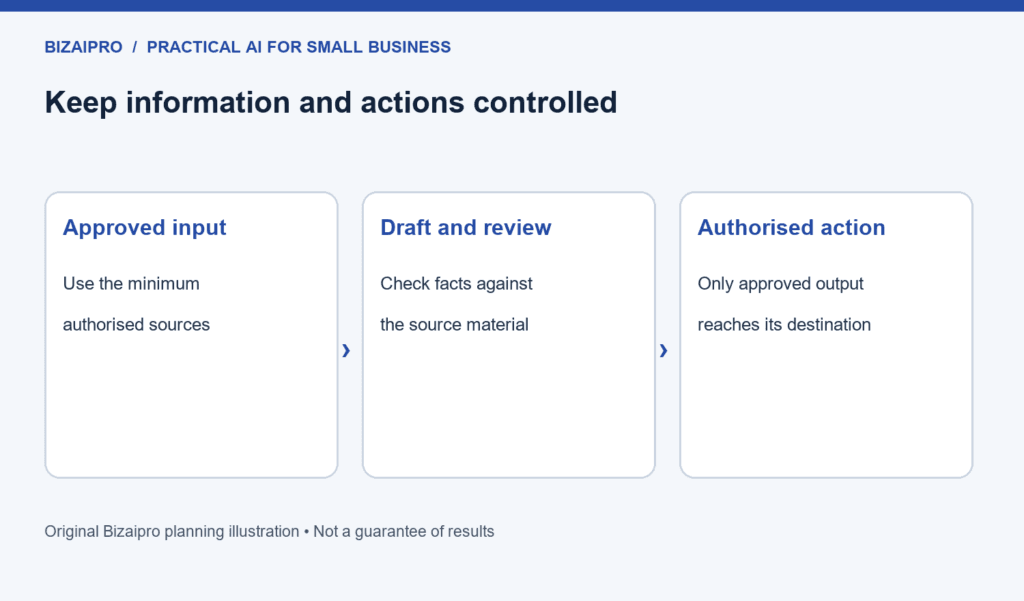
Start with a task that already repeats: writing a customer follow-up, turning a meeting into actions, qualifying an enquiry, preparing a marketing brief or moving form data into a spreadsheet. Record the time it takes now, decide who approves the output and set a limit on what customer data can be sent to a third-party service. A tool should reduce a specific bottleneck; it should not become another inbox to manage.
At-a-glance comparison
| Tool | Best for | Free option | Starting paid price* | Watch for |
|---|---|---|---|---|
| ChatGPT | Drafting, analysis and everyday problem-solving | Available | Check official plans | Human review and data controls |
| Claude | Long documents and structured writing | Available | US Pro listed at $20/month | Usage limits vary by plan |
| Zapier | Connecting repetitive workflows | 100 tasks/month | Professional from $19.99/month | Task volume and connected-app costs |
1. ChatGPT: a flexible starting point for knowledge work
ChatGPT is often useful when a team needs help turning rough notes into a first draft, converting a process into a checklist, summarising material the business is allowed to share, or producing alternative wording for customer communication. Its value comes from the quality of the brief and the review process around it. Give it approved source material, state the audience and format, and ask for uncertainties to be flagged rather than guessed.
- Good fit: consultants, agencies and founders who need repeatable draft-and-review workflows.
- Less suitable as a first project: fully automated customer advice or decisions that require expert judgement.
- Useful first workflow: turn a weekly sales meeting into a named action list, then have an owner verify it before distribution.
For teams, confirm the workspace plan, permissions and data settings with OpenAI’s Business pricing page. Do not assume a ChatGPT subscription includes API use; OpenAI states API usage is billed separately.
2. Claude: useful when documents need careful structure
Claude can be a reasonable option for turning long, approved documents into structured notes, first-pass policies or research questions. The workflow matters more than the model name: keep a source file, ask for citations back to its source sections where possible, and require a human to check important statements before they become public.
Anthropic lists a free option and a US Pro plan at $20 per month, with local pricing and taxes varying by region. See Anthropic’s plan guide before choosing a subscription.
3. Zapier: automation for a process you already understand
Automation can save time only after the underlying process is clear. Zapier can connect forms, email, spreadsheets and other services so that a team does not copy the same information repeatedly. Start with a low-risk workflow such as sending a new enquiry to an internal review sheet. Add customer-facing automation only after testing duplicate handling, exceptions and ownership.
Zapier’s current pricing page lists a free plan with 100 tasks each month and Professional starting from $19.99 monthly. Task use is central to cost, so estimate how often each trigger will run and read Zapier’s official pricing details.
A simple 30-day implementation plan
- Week 1: choose one repetitive task and measure its current time, error rate and owner.
- Week 2: run the task with an AI-assisted draft or workflow. Keep the existing process as a fallback.
- Week 3: document approval, exceptions and the information that must never be entered.
- Week 4: decide whether the saved time and quality justify the ongoing subscription.
Cost and privacy questions to answer first
Ask four questions before buying: What is the total monthly cost including seats and task use? Who owns the output? Can the workflow expose personal or confidential data? What happens when the system is unavailable or wrong? Use illustrative ROI estimates only after recording your own baseline hours and costs.
Next guides
Choose a practical starting point with our guide to choosing your first AI workflow, build a measured rollout with the 90-day AI implementation plan, or compare automation approaches in Business Automation.
Frequently asked questions
What is the best AI tool for a small business?
The best first tool depends on a clearly defined task. A general assistant can help with drafting and analysis; an automation platform can help when data must move reliably between existing systems.
Should a small business use a free AI plan?
A free plan can be useful for a low-risk pilot. Check usage limits, privacy controls and commercial terms before sharing business information.
Editorial note: This page is a research shortlist based on public product documentation. It does not claim independent hands-on testing. Last fact checked: 4 September 2026.